Check for Text
Please read the Material Usage Rules on this site.
Description
This action checks if specific text is present on the screen. You can also use it to confirm successful login or completion of a particular task.
How to add it to your project?
There are two ways:
- Through the canvas right-click menu:
Add Action → Android → Check for text.
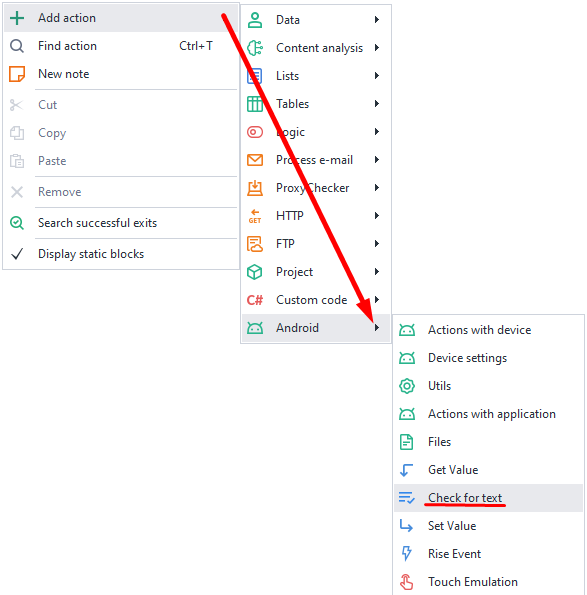
- Through the emulator window right-click menu:
Hover your mouse over the text → Right-click → Create text presence check.
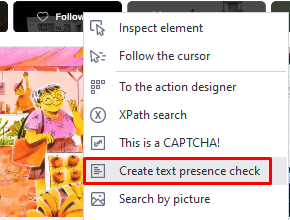
Working with the action

Search for (Regex)
Type in the text you want to find. The field supports regular expressions.
Where to search
Choose the data you want to search in:
- Source
The full structure of elements on the screen. It's the same as what you get in the action Get element structure (XML). - Text
An array of strings that contains text displayed on the screen, meaning the values of thetextandcontent-descattributes.
Wait before execution
Set the number of seconds for the action to wait before it starts.