GoodEnd (successful project completion)
Please read the Material Usage Rules on this site.
🔗 Original page — Source of this material
Description
The Good End action is designed to perform additional steps after the successful completion of a project. It can work together with the ❗→ Bad End action.
How do I add this action to a project?
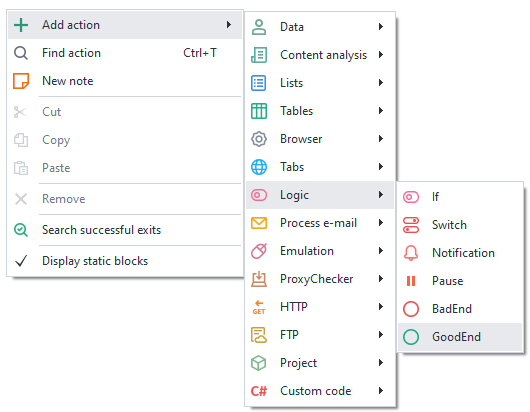
Right-click to open the context menu, select Add action → Logic → GoodEnd
What is it used for?
- The project can end with different successful outcomes and you want a common action to run at the end for all of them.
How does the action work?
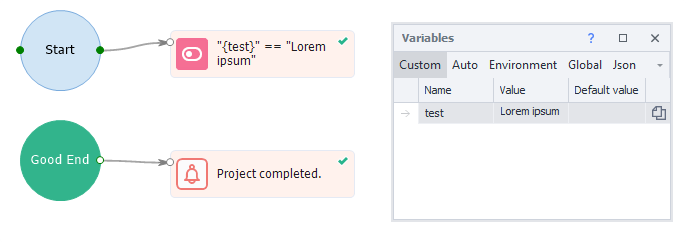
If the last block of your project finishes via the green branch, the flow will move to the block linked to Good End.
Transitioning to GoodEnd during repeated debugging
By default, during debugging, the project transitions to Bad/GoodEnd only once. After that, you'll need to restart the project using the “Start Over” button. To allow multiple transitions to these actions during debugging, you need to enable the ❗→ Transition to Bad/GoodEnd during repeated debugging option in the program settings.