Quick Start
Please read the Material Usage Rules on this site.
The main purpose of the program is to check proxies and select working ones for use in your projects, for working with various websites and services.
ProxyChecker allows you to check and obtain proxies in just a few steps:
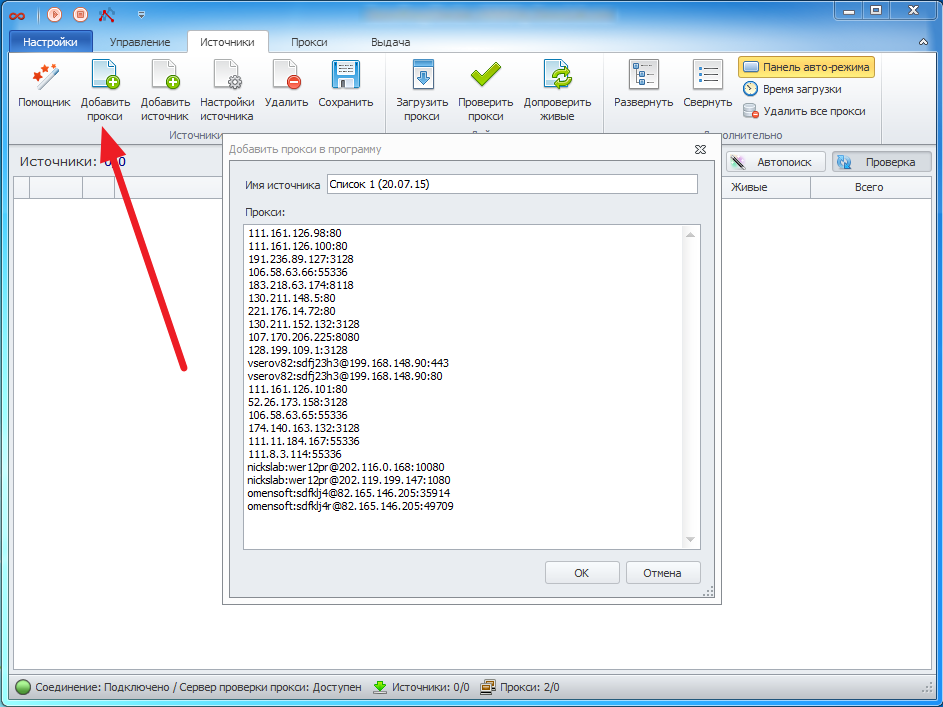
- Add proxies to the program on the “Sources” tab using the “Add proxy” option. Proxy address format: ip:port for regular proxies and login:password@ip:port for proxies with authentication.
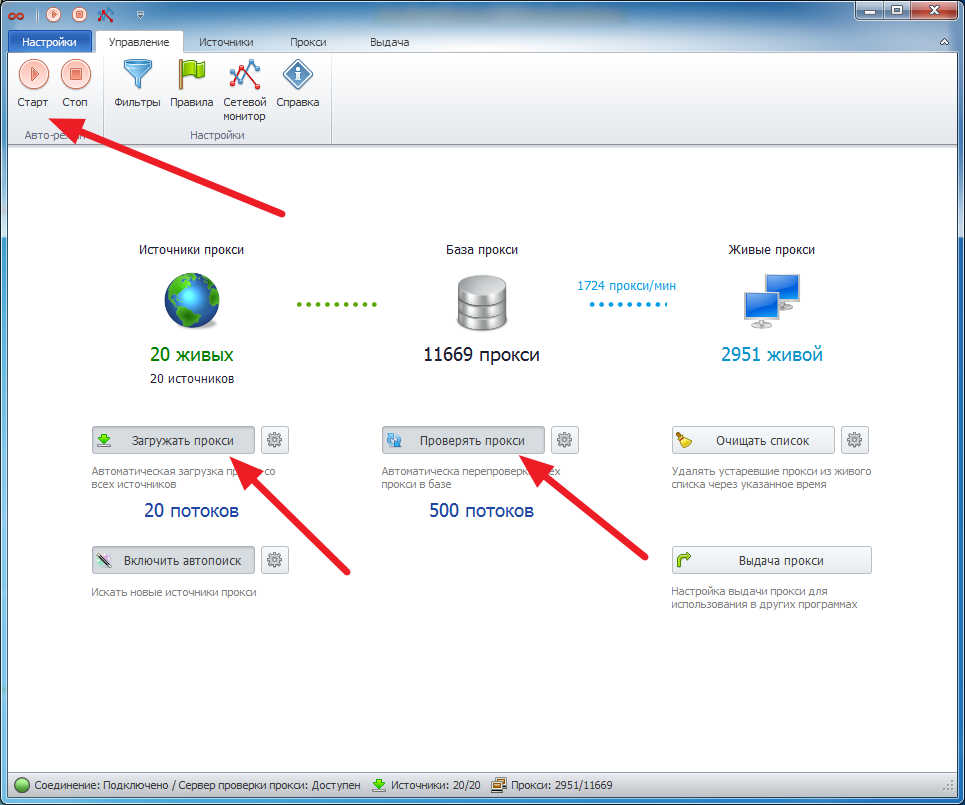
- Start the proxy checking process on the “Management” tab. Enable proxy loading and checking.
- Get verified proxies on the “Proxies” tab. Apply “Rules” to select suitable proxies.
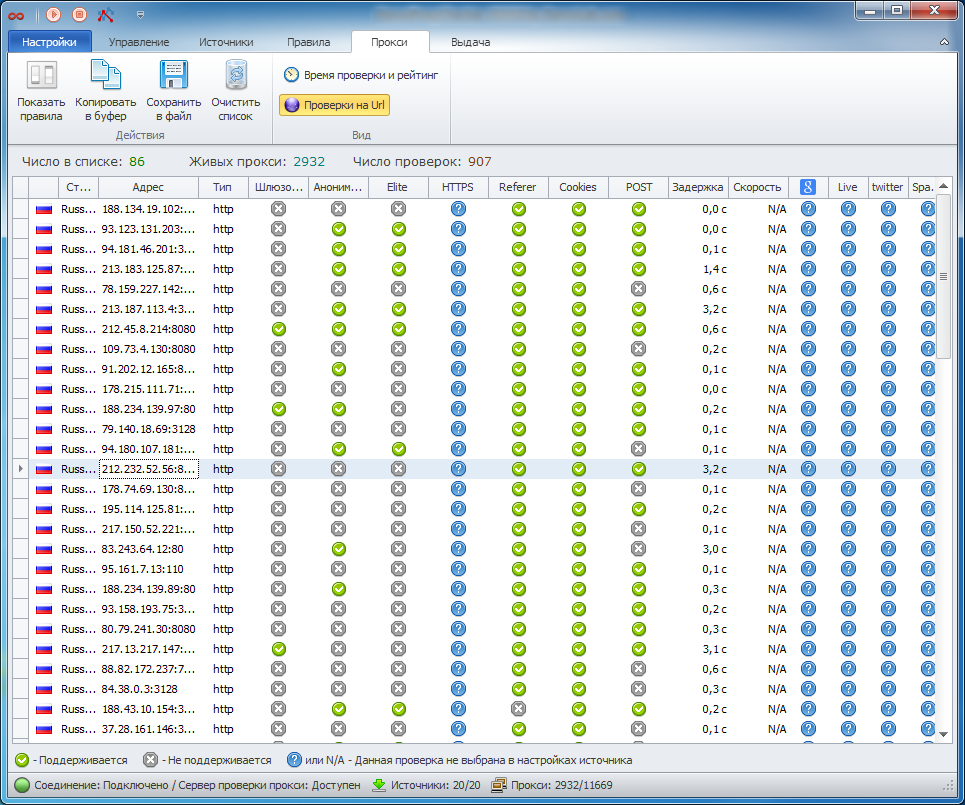
- The obtained proxies can be copied to the clipboard, saved to a file, or configured for export.