Keyboard Emulation
Please read the Material Usage Rules on this site.
🔗 Original page — Source of this material
Description
Emulation of typing text or pressing keys on a website.
How do you add this action to your project?
Via the context menu Add Action → Emulation → Keyboard Emulation
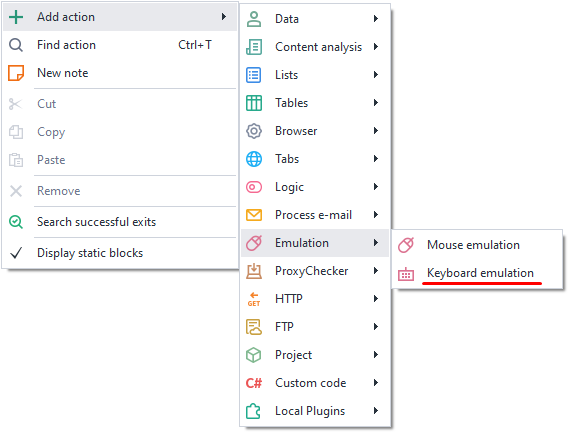
Or you can use the ❗→ smart search.
What is this used for?
- Filling input fields
- Typing text
- Emulating key presses
How do you work with this action?
Action Setup
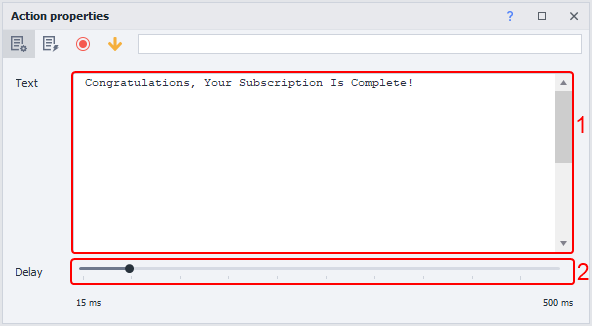
- The field for text, ❗→ *variables and special keys.
- Pause between keystrokes.
Note
You can use text, variables, and special keys all at the same time.
Static Text
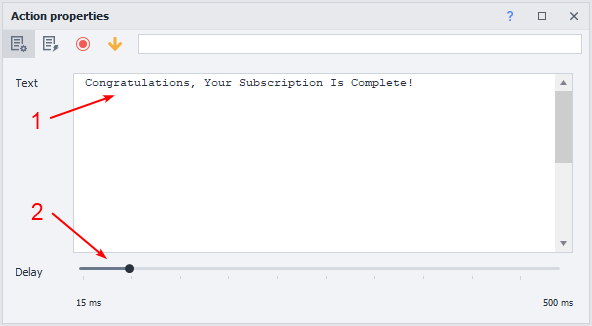
- Enter static text.
- Set the input parameters.
Note
The text will remain unchanged throughout the entire project.
Working with Variables
A variable in the action will let you enter new text each time.
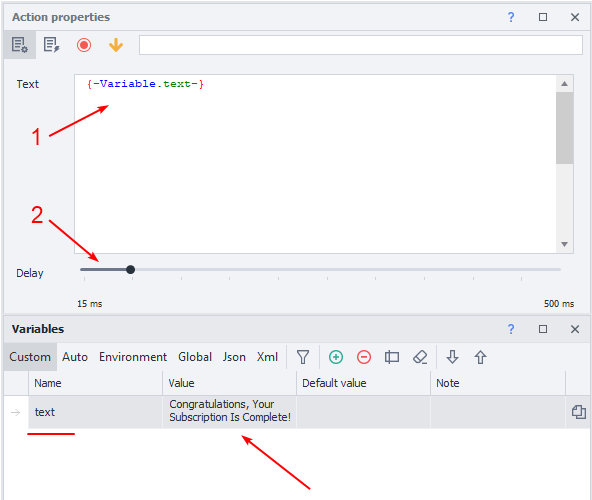
- Set the desired variable.
- Adjust the delay slider.
Note
The text will change depending on the variable's value.
Using Special Keys
Lets you emulate keys like Enter, CTRL, END, etc.
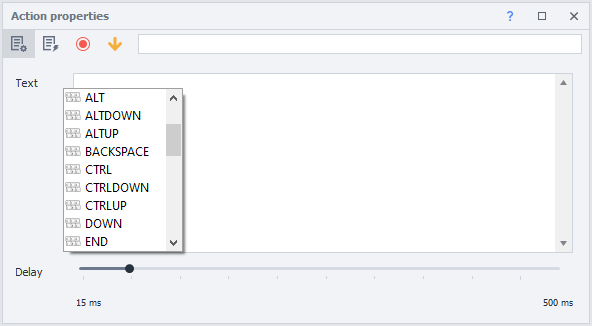
- Place your mouse cursor in the Text field.
- Press the hotkeys CTRL + Space to open the context menu.
- Select the desired key from the list.
Usage Example
Many sites have learned to track keystrokes, so for maximum reliability, you can fill out forms using keyboard emulation.

It works something like this:
- Go to the website.
- Open the profile editing section.
- Save the required data into the relevant variables.
- Pass the variables into the keyboard emulation action.
- After placing the cursor in the input field, start the cube.
- The site will see you as a real user and accept the data.