Proxy Parsing
After you have added a proxy source to ZennoProxyChecker, you can configure proxy parsing from that source.
In the settings, specify the address from which proxies will be parsed. This can be a web page URL or a path to a file containing a list of proxies. The proxy parsing structure is defined in the main program settings.
Some sources display proxy lists on the page using JavaScript. In the source settings, you can choose the conditions for executing JavaScript on the page.
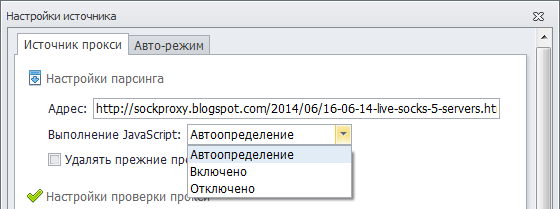
Keep in mind that enabling this feature increases the program’s system resource usage. You can select Auto-detect so that ZennoProxyChecker determines whether JavaScript execution is necessary.
After proxies are loaded from the source and sorted by filters (if any are defined), they are added to the main proxy database. Each proxy remembers the source it was downloaded from: proxy checking settings are linked to its source. All proxies in the database are unique — there are no duplicate proxies.