Recording
🔗 Original page — Source of this material
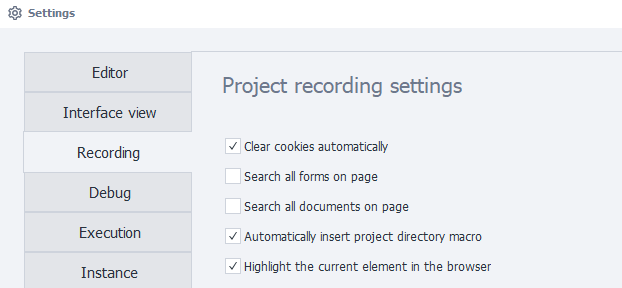
Project Recording Settings
Automatically clear cookies
At the start of the project, cookies will be cleared automatically. This setting is equivalent to the ❗→ Clear Cookie action.
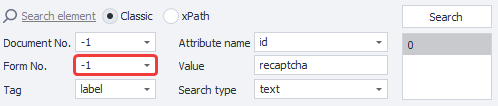
Search in all forms on the page
Enables searching for elements in all forms on the page. Relevant for the ❗→ Action Builder.
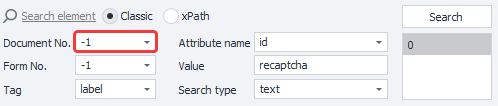
Search in all documents on the page
Enables searching for elements in all documents on the page. Relevant for the ❗→ Action Builder.
Automatically insert project directory macro
When specifying a file path, the project directory macro { -Project.Directory- } will be inserted automatically. For example, in the properties of a list or table, when selecting a file from your hard drive—if the file is located in the template folder or below it, in one of its subfolders.
Highlight current element in the browser
You need to restart the program for this setting to take effect.
This setting highlights HTML elements with a blue border in the browser window.
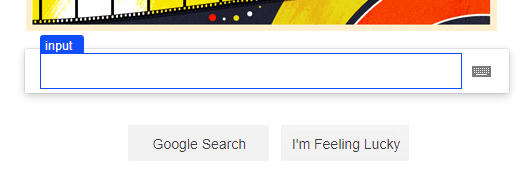
It modifies the website’s DOM tree by adding the following to the end:
<div id="zp_fr_hl_top_hl" style="visiblity:hidden"></div><div id="zp_fr_hl_left_hl" style="visiblity:hidden"></div><div id="zp_fr_hl_right_hl" style="visiblity:hidden"></div><div id="zp_fr_hl_bottom_hl" style="visiblity:hidden"></div><font id="zp_fr_hl_label" style="visiblity:hidden"></font>
If you believe this kind of modification could de-anonymize you, you can turn it off by unchecking the option.